






Clinician instructions for Piksters Brush Size Guide.
Follow these steps to prepare personalised interdental brush guides for your patients:
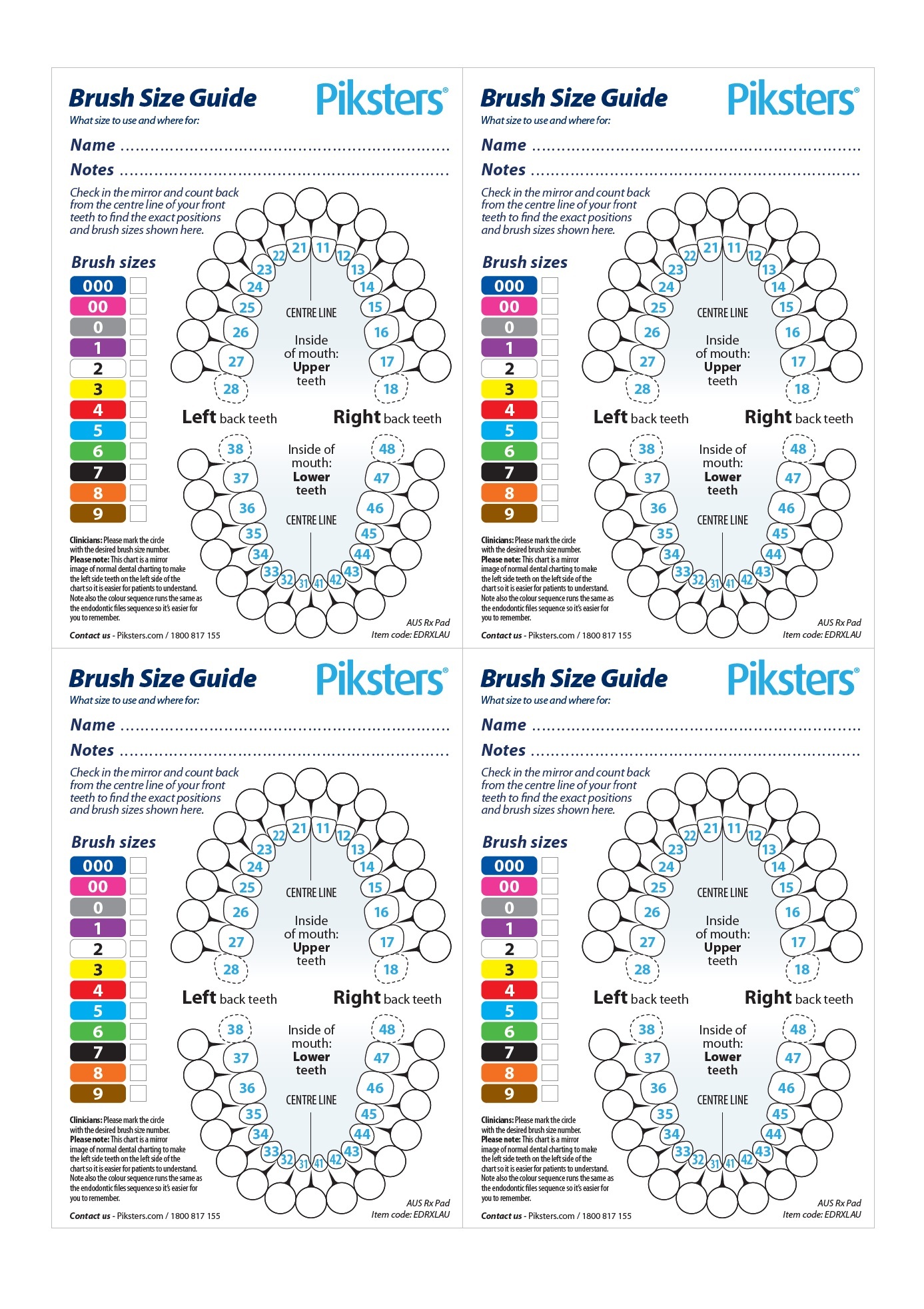
- Download & Print: Click the links below to download and print the Mouth Map (A4 paper) and the How to Use guide (Each A4 page contains 4 copies):
- Cut to size: Cut the printed pages down the middle (horizontally and vertically) to create four individual handouts.
- Personalise the Mouth Map: On the Mouth Map write the specific Piksters size number for each tooth gap.
- Mark the sizes: Tick the boxes under "Brush sizes" to show the patient which brush size/colour they need to buy.
- Hand out: Give both sheets to the patient to take to take home.
-
Explain that using the right size brush makes all the difference and, you've marked their custom sizes on the map so they know exactly what to use and where.
-
Additionally, to make it easier, let your patients know that you've ticked the colours they need to buy at the grocery store or pharmacy, to make shopping a bit easier.
-
This is what you will download (4 copies per A4 sheet):